

Dark spot on tv screen: Easy Fixes to Restore Your TV
That dark spot on your TV screen can be anything from a simple smudge to a symptom of something more serious, like dead pixels, trapped dust, or even a failing backlight. But before you jump to the worst-case scenario, a few quick diagnostic checks can help you figure out what you're really dealing with.
Your First Steps for Diagnosing a Dark Spot on a TV Screen
When you first notice that distracting blemish on your TV, the natural reaction is to worry about a pricey repair. Don't panic. The first step is always a calm, methodical inspection. More often than not, what looks like a major defect is something you can identify—or even fix—in just a few minutes.
Start with the obvious: is it on the surface or inside? A gentle wipe with a dry, clean microfiber cloth will tell you if it's just a stubborn piece of dust or a smudge. If the spot is still there after a quick clean, it’s time to dig a little deeper.
Quick Diagnostic Checklist for TV Dark Spots
Before getting into more detailed tests, running through a quick checklist can help you narrow down the possibilities right away. This table summarizes the first things you should look for.
| Check to Perform | What to Look For | Potential Cause Indicated |
|---|---|---|
| Clean the Screen | Does the spot move or disappear with a microfiber cloth? | Smudge, dust, or external debris. |
| White Screen Test | Are there tiny, distinct black dots that don't change? | Dead pixels. |
| Color Screen Test | Do any spots appear as a different color (e.g., green on red)? | Stuck pixels. |
| Gentle Pressure Test | Does the spot move, change shape, or vanish temporarily? | Panel pressure issue or liquid crystal problem. |
| Angle Viewing | Does the spot become more or less visible from different angles? | Backlight uniformity issue or panel layer problem. |
This checklist is your starting point. It helps you quickly rule out simple external issues and gives you a clearer idea of whether the problem is with the pixels, the panel, or the lighting behind it.
Running a Color Test
One of the most effective ways to diagnose screen issues is to display solid, bright colors across the entire panel. You don't need special software for this. Just search for "pixel test" videos on YouTube or load solid-color images onto a USB drive and display them on your TV.
- White Screen: A pure white background is the best way to spot dead pixels. They’ll show up as tiny, distinct black dots that never light up. This test also makes any internal dust or debris really stand out.
- Red, Green, and Blue Screens: Cycling through these primary colors is how you find stuck pixels. A stuck pixel is one that's "stuck" on a certain color and won't change. For example, you might see a bright green dot on a red screen. A dead pixel, on the other hand, will always be black, no matter what color is on display.
This simple color test tells you a lot about how the dark spot behaves. If it remains stubbornly black across every single color, you're almost certainly looking at dead pixels.
This troubleshooting flowchart gives you a visual guide for these initial checks, helping you move from cleaning the screen to observing its behavior logically.
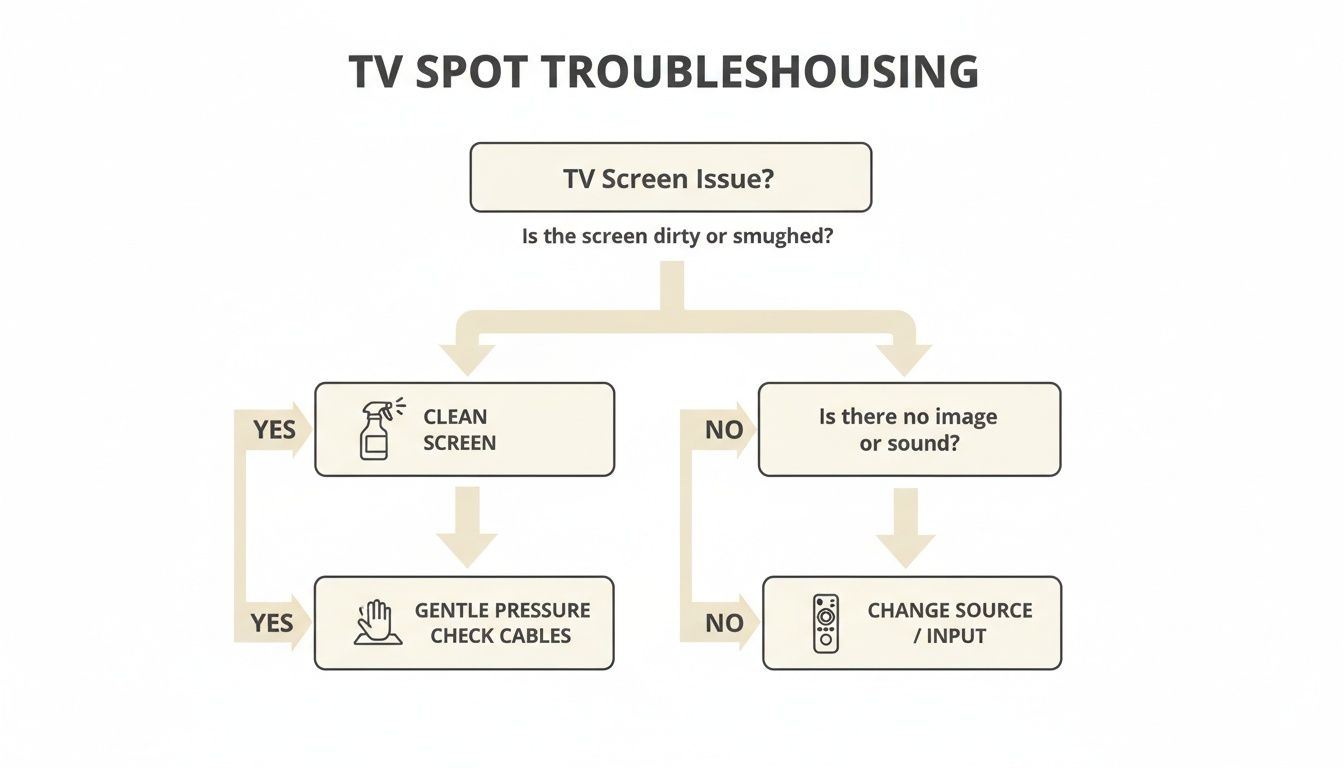
As the chart shows, these first few steps are designed to efficiently rule out the most common and easily fixable causes before you need to worry about more complex problems.
Apply Gentle Pressure
If the color tests don't give you a clear answer, you can try a gentle pressure check. With the TV on and showing a bright white image, take a soft microfiber cloth and apply very light pressure directly on the dark spot.
If the spot shifts, changes shape, or briefly disappears, it could point to an issue with the liquid crystal distribution or uneven pressure on the panel itself. A word of caution: be extremely careful here. Pushing too hard can create new dead pixels and cause permanent damage.
For more tips on screen care during testing, you might find our guide on how to keep an Android screen from turning off helpful, as it allows you to run diagnostic images without interruption.
Common Causes Behind TV Screen Dark Spots
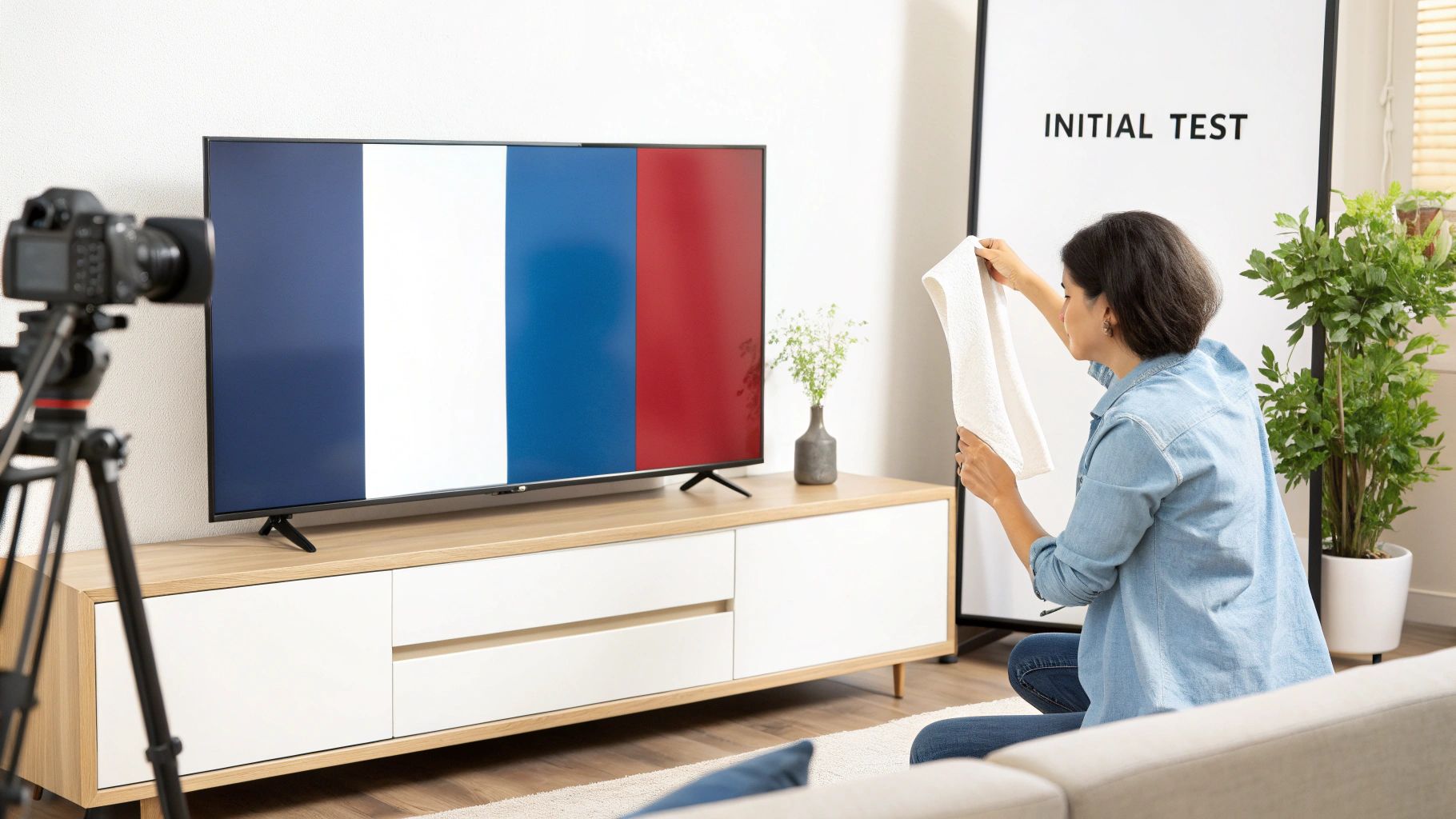
So, you’ve given the screen a good look. Now it's time to play detective and figure out what’s actually causing that annoying dark spot. Getting the diagnosis right is everything, because the cause determines the fix.
Each potential culprit leaves its own unique signature. A tiny, sharp black dot behaves completely differently than a faint, cloudy splotch that only shows up when the camera pans across a bright sky in a movie. Let's break down the usual suspects.
Dead Pixels: The Unlit Dots
This is the one everyone's heard of. A dead pixel is probably the most infamous reason for a dark spot, and it happens when the tiny transistors controlling a single pixel (or one of its red, green, or blue sub-pixels) fail for good. The result? A tiny, distinct black square that just won't light up, no matter what color is on the screen.
It’s a surprisingly common manufacturing flaw. You can expect about 1 in every 1,000 pixels on a new LCD to have an issue, which could mean two to five of them on a typical 4K TV. In fact, around 4% of consumer LCD TVs get returned within the first 90 days because of dead or stuck pixels. You can get more technical details on LCD screen imperfections on Nelson-Miller.com.
Key Takeaway: A dead pixel is a hardware failure. It shows up as a sharp, unchanging black dot against any background color you throw at it—white, red, blue, you name it. One is an annoyance; a whole cluster of them is a real problem.
The Dirty Screen Effect and Backlight Failure
If your problem is less of a "dot" and more of a "patch" or "splotch," you’re likely looking at something else entirely. We're talking about the Dirty Screen Effect (DSE) or a failing backlight, which are issues with the light source behind the pixels.
- Dirty Screen Effect (DSE): This one creates faint, shadowy, or blotchy areas on the screen. It's most noticeable during scenes with big, uniform colors and a lot of movement—think watching a football game as the camera pans across the green field. It’s caused by tiny inconsistencies in the layer that spreads the backlight out.
- LED Backlight Failure: Modern TVs use strips of LEDs to light up the panel. When one of those little LEDs burns out, it creates a very distinct, often circular or oblong, dark spot on the TV screen. This spot is usually much darker and more defined than DSE.
Think of the backlight as a grid of tiny lightbulbs behind a sheet of paper. If one bulb goes out, you’ll see a dark patch right where it was. That's pretty much what’s happening with an LED failure.
Physical Damage and Internal Debris
Finally, sometimes the problem comes from the outside world. A sharp hit from a toy, a remote, or during a move can damage the liquid crystal panel itself. This usually creates a permanently dark or discolored area, often with a classic spider-web pattern spreading out from where it was hit. This kind of damage is almost always game over for the screen.
On a less dramatic note, a tiny piece of dust or even a small insect can sometimes get trapped between the screen layers during manufacturing. This can leave a small, dark speck that looks a lot like a dead pixel. The giveaway? It might move slightly if you gently tap the screen nearby, and it’s usually an irregular shape, not a perfect little square like a pixel.
Digging Deeper: When It's a Backlight or Uniformity Problem
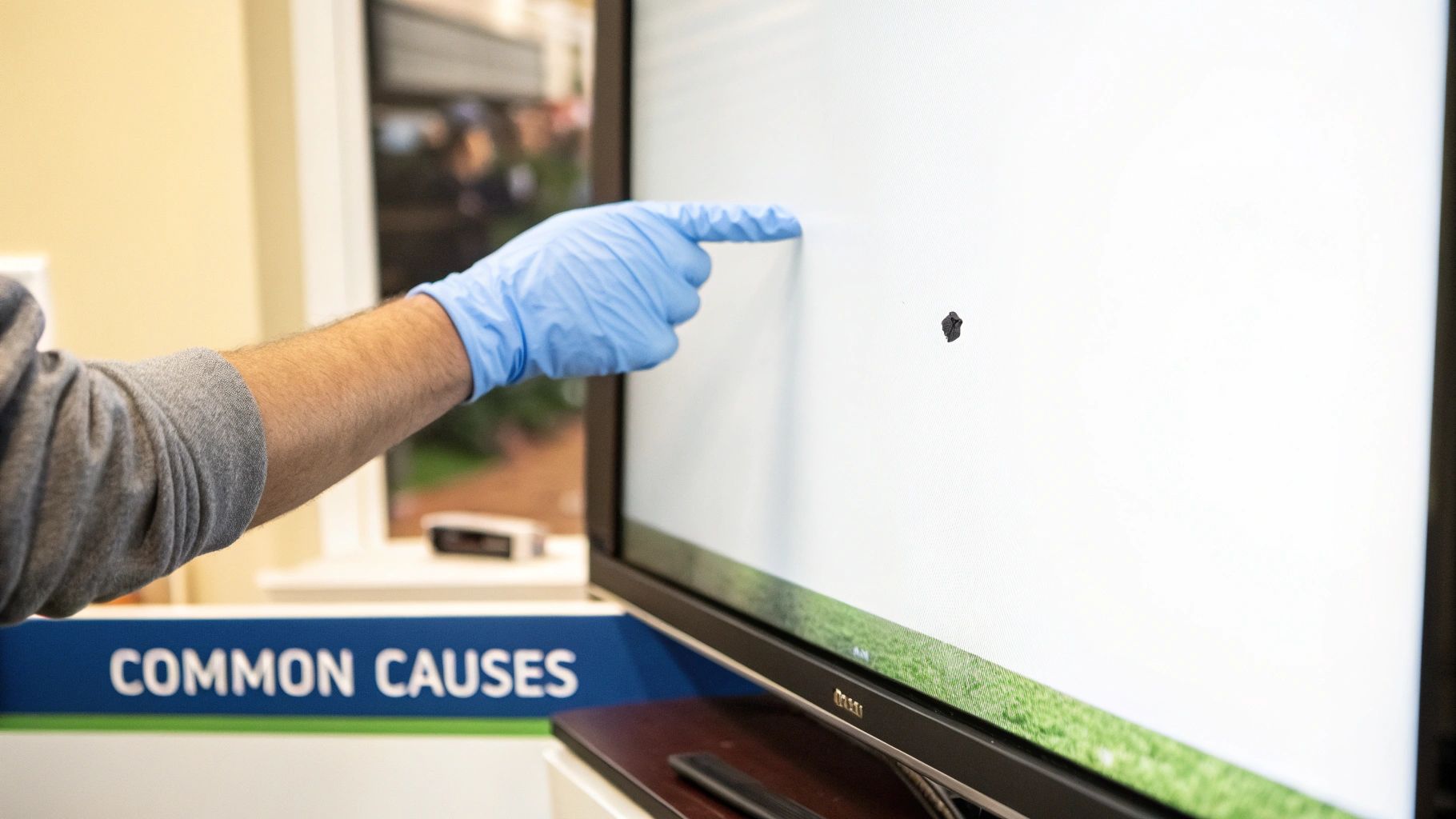
Sometimes the dark spot on a TV screen isn’t a sharp little dot. Instead, you might notice a larger, fainter shadow that seems to shift or only shows up during certain scenes. This is a big clue that you're likely looking past a simple pixel issue and into a deeper problem with the screen’s backlight and uniformity.
These flaws are all about how evenly the light behind your screen illuminates the picture. Think of your TV’s backlight like the lighting on a theater stage. If a few lights are dim or aimed poorly, you get ugly shadows. It’s the same concept for your TV, creating imperfections that can completely pull you out of the experience, especially when you’re watching in a dark room.
Backlight Bleed, Clouding, and Flashlighting
These three related issues all come from imperfect light distribution, but they each look a little different. Knowing what to look for helps you narrow down the culprit.
- Backlight Bleed: This looks like light seeping in from the very edges of the screen, almost always from the corners. It happens when the TV's frame puts too much pressure on the panel layers, creating bright, uneven splotches.
- Clouding (or Mura): This appears as faint, blotchy patches of uneven brightness, like subtle clouds floating across the screen. You'll spot it most easily during panning shots across a solid color, like a blue sky in a movie or a green football field during a game.
- Flashlighting: A cousin to backlight bleed, this looks like a cone of light beaming from one or more corners toward the middle of the screen, just like a flashlight. It’s an incredibly common flaw, especially in thinner TVs.
Uniformity problems are most obvious during dark scenes. Picture watching a sci-fi movie where the deep black of space is spoiled by glowing corners or faint gray clouds. That's a classic sign your backlight isn't performing as it should.
Why Your TV's Backlight Tech Matters
The kind of backlight technology in your TV plays a massive role in how likely you are to see these issues. It really comes down to two main types:
- Edge-Lit TVs: These models place their LEDs only along the screen's edges. This design lets manufacturers build incredibly thin TVs, but it’s a real challenge to light the entire screen perfectly evenly. As a result, edge-lit TVs are far more prone to bleed, clouding, and flashlighting.
- Full-Array Local Dimming (FALD) TVs: These are more advanced and have a full grid of LEDs sitting directly behind the panel. This setup allows for much more precise and uniform lighting, which dramatically reduces the odds of seeing a distracting dark spot or bright corner.
To give you a better idea of what you might be seeing, here’s a quick breakdown of common display uniformity issues.
Common TV Display Uniformity Problems Explained
| Issue Type | Visual Appearance | Most Common TV Type |
|---|---|---|
| Clouding (Mura) | Faint, uneven, blotchy patches of gray or light on a dark screen. | Edge-Lit LED/LCD |
| Flashlighting | Bright cones of light shining from the corners toward the center. | Edge-Lit LED/LCD |
| Backlight Bleed | Light leaking around the edges or corners of the screen. | Edge-Lit LED/LCD |
| Dirty Screen Effect (DSE) | Subtle vertical or horizontal bands or blotches on uniform colors. | LED/LCD and some OLED |
| Banding | Visible steps or lines in color gradients instead of a smooth transition. | All types, often due to content compression or panel limitations. |
As you can see, the problems are most common in edge-lit models, which have a tougher job spreading light across the entire screen.
Here's a real-world stat: Research shows that clouding and flashlighting affect 22% of edge-lit LED TVs, but that number jumps to 35% visibility when you're watching in a totally dark room. You can dive into more data on black uniformity on RTINGS.com.
Over time, as a TV’s internal parts expand and contract with heat, these problems can get worse. While almost every TV has some minor uniformity flaws, severe cases are a major distraction. It’s similar to how a phone case shields sensitive parts; understanding your TV's structure helps diagnose its weaknesses. Speaking of longevity, you might find our article on advanced anti-yellowing technology interesting, as it touches on how materials hold up under stress.
Practical DIY Fixes You Can Safely Try at Home
Before you even think about calling a repair shop or pricing out a new TV, let's talk about what you can do right now. Some of those annoying dark spots can actually be fixed at home with a bit of patience. These are the non-invasive, zero-cost tricks I always recommend trying first.
The goal here is to gently nudge the screen back to normal without making things worse. It’s important to know that these methods are really for stuck pixels (which can look dark) or minor pressure spots—not for truly dead pixels or a failing backlight.
Software Solutions for Stuck Pixels
One of the easiest things to try first is a software-based fix. Sometimes a pixel isn't dead, it's just "stuck" in the off position. You can often bring it back to life by forcing it to cycle through colors rapidly, which can sometimes jog the liquid crystals back into action.
The best way to do this is with a "pixel fixer" video. You can find tons of these on YouTube. They're just videos of rapidly flashing red, green, and blue colors.
- On your TV, open the YouTube app and search for "stuck pixel fix."
- Play one of the videos in full-screen mode for at least 30 minutes. I've seen it take an hour or more, so be patient.
- When it's done, pull up a solid white screen to see if the dark spot is gone.
This method basically gives the pixel a workout, encouraging it to start responding correctly again. It has a surprisingly good success rate for pixels that are just being stubborn, not permanently broken.
Pro Tip: After running a pixel-fixing video, try turning the TV completely off for a few hours. Sometimes letting the panel rest after all that intense color cycling helps the fix stick.
The Gentle Pressure Technique
If the pixel-fixer video didn't do the trick, you can try a careful physical approach. This method is designed for spots caused by minor pressure issues between the panel layers, but it can also sometimes unstick a stubborn pixel. Be extremely careful here—too much force will cause permanent damage.
First, turn your TV off. Now, grab a soft, lint-free microfiber cloth, like the one you'd use to clean your glasses. Fold it over a few times to create a small, padded tip.
- Using your fingertip through the padded cloth, apply gentle, steady pressure directly on the dark spot.
- Hold that pressure for about 5-10 seconds.
- While still holding the pressure, turn the TV back on.
- Slowly release the pressure and check to see if the spot has vanished.
You might need to repeat this a few times. Sometimes, a very gentle massage in a tiny circular motion can help, too. For more on how to handle delicate screens, the principles in our guide on the dust-free installation of screen protectors can be helpful for understanding even pressure application. If these methods don't solve the dark spot on your TV screen, it’s a pretty clear sign the issue is more serious.
When You Should Call a Professional for TV Repair

While it's tempting to try and fix things yourself, there's a point where you need to recognize you’ve hit a wall. Certain symptoms are clear signals that the problem goes beyond a simple software trick or gentle pressure. Continuing to poke and prod at a serious internal issue can easily turn a repairable TV into a permanent paperweight.
Honestly, knowing when to stop is just as important as knowing what to try. If you’ve run through the home remedies with no luck, or if that dark spot is actually getting worse, it's time to put down the tools and pick up the phone.
Clear Signs You Need an Expert
Some issues have tell-tale signs that scream "professional help needed." If you notice any of the following, it’s best to step back and let a certified technician take over.
- The Spot is Growing: A dark spot that expands over time is a massive red flag. This often points to a progressive failure inside the panel or backlight system.
- Multiple New Spots Appear: Seeing a sudden outbreak of new dead pixels or dark areas? That could signal a systemic issue with the TV's internal hardware.
- Large, Defined Dark Patches: A significant, well-defined shadow, especially one that takes up a big chunk of the screen, almost always means a failed backlight strip or LED.
- Flickering or Color Distortion: When the dark area comes with flickering, weird lines, or strange colors, the problem is likely with the panel's connection or the main board itself.
These symptoms go way beyond a single stuck pixel. They suggest a deeper hardware failure that requires specialized tools and knowledge to diagnose and fix safely.
Understanding Repair Costs and Your Warranty
Before you even think about calling a technician, your first move should always be to check your TV's warranty. Most manufacturers offer a one-year warranty that covers defects like dead pixels or backlight failure. If your TV is still under warranty, the repair should be completely free.
If your warranty has expired, you'll have to weigh the cost of repair against the price of a brand-new television.
A common issue that blurs the line between DIY and professional help is the "Dirty Screen Effect" (DSE), which can affect up to 30% of budget LED TVs. While a gentle massage can resolve about 40% of mild cases, more severe instances may require a panel replacement costing anywhere from $300 to $600. You can find more details about how to handle DSE on Reliant.co.uk.
Be prepared to pay a diagnostic fee upfront, which is usually between $50 and $100. The good news is this fee is often applied toward the final repair cost if you decide to go ahead. A common backlight strip replacement can run you anywhere from $150 to $350, depending on your TV's size and model.
However, if the LCD panel itself is the culprit, the repair cost can easily exceed 80% of the TV's original price. At that point, buying a new TV is the more sensible financial choice. Always get a full quote before you authorize any work.
Got Questions About That Dark Spot? We've Got Answers.
Finding a dark spot on your TV screen is frustrating, and it's natural to have a lot of questions running through your head. Is it permanent? Will it get worse? Is this going to be an expensive fix? We've gathered some of the most common questions we hear to give you some clarity and help you figure out what to do next.
Can a Dark Spot on a TV Screen Actually Be Fixed?
The short answer is: maybe. It really boils down to what's causing it.
If you're lucky, the spot is just a stuck pixel, and there's a decent chance you can fix it yourself. Running a pixel-fixing video or applying very gentle pressure to the area can sometimes bring it back to life. In other cases, it might just be a smudge or a bit of dust that found its way inside the panel, which can often be cleaned.
But if the cause is more serious, like dead pixels, a failed backlight LED, or physical panel damage, then you're looking at a professional hardware repair. A dead pixel is gone for good and can't be revived with software tricks. Backlight repairs are even more involved, as they require taking the entire TV apart—not a simple DIY job.
Do Dark Spots on a TV Screen Spread?
This is another "it depends" situation, and the answer hinges entirely on the root cause of the spot.
- Dead Pixels: A single dead pixel won't spread like a virus. It's a localized failure. The real concern is that the manufacturing flaw or stress that caused one pixel to die might eventually cause others to fail nearby or elsewhere on the screen over time.
- Backlight Failure: When a single LED in the backlight array burns out, the dark area it creates is fixed. That spot won't grow. However, it can be a warning sign that other LEDs in the same strip are also nearing the end of their life, so you might see new dark spots pop up later.
- Physical Damage: This is the one you really need to watch. An impact point or a tiny crack is a weak spot. Any pressure on that area can cause the damage to spiderweb across the panel, making the problem much, much worse.
For the most part, a stable dark spot that doesn't change isn't an immediate threat to the rest of your screen. The main worry is whether it's a symptom of a larger hardware issue that will lead to more spots appearing down the road.
Is It Even Worth It to Repair a TV Screen?
This is the million-dollar question, and the answer is all about cost versus value. The very first thing you should do is check your warranty. If your TV is still under warranty, the repair will likely be free, making it an absolute no-brainer. Go for it.
If you're out of warranty, you need to get a repair quote. For something like a backlight replacement, which can run anywhere from $150 to $350, it might be worth it, especially if you have a high-end TV that's only a few years old.
But if the problem is the LCD panel itself, that's a different story. The cost to replace a damaged panel can easily approach—or even exceed—the price of a brand-new, comparable TV. In that situation, it almost never makes financial sense to repair the old one. You're better off putting that money toward a new model with updated tech.
At FoldifyCase, we believe in protecting the technology that matters most to you. For durable cases and accessories designed for foldable phones, visit us at https://www.foldifycase.com.