


Wireless Keyboards for Foldables 2026
Discover keyboard portable wireless options for foldable phones. Compare form factors, connectivity, and keys to boost mobile productivity.
 Editorial
Your foldable phone, whether it’s a Galaxy Z Fold or a Pixel Fold, is an incredible piece of engineering. But let's be honest—tapping out long emails on a glass screen isn't just slow, it's frustrating. To really make that beautiful inner display work for you, the on-screen keyboard has to go.
This is where a keyboard portable wireless stops being a neat accessory and becomes an essential tool.
Turn Your Foldable Phone into a Real Workstation
Think of your phone's big, unfolded screen as an empty desk. It has all the space you need, but you can't get much done without the right tools. A physical keyboard gives you the tactile feedback that’s been missing, transforming your pocket-sized powerhouse into a legitimate laptop replacement.
Suddenly, you're not just answering emails—you're writing reports, drafting documents, and actually getting work done. That tiny café table or cramped airport seat just became your new office. This guide is your roadmap to finding the perfect keyboard, cutting through the jargon, and making a choice that fits how you actually work.
What We'll Cover in This Guide
My goal here is to give you the confidence to pick a keyboard that feels like a natural extension of your phone. We're going to break down everything that matters.
Here's what you'll learn:
- Finding the Right Fit: We'll look at the different styles out there—from sleek folio cases with built-in keyboards to tiny, foldable models you can toss in a bag.
- Decoding the Connection: I'll explain the real-world differences between Bluetooth versions and why multi-device pairing is a feature you won't want to live without.
- The Feel of the Keys: We’ll dive into what makes a keyboard feel great (or terrible), looking at key switches and layouts so you can find one that’s comfortable for you.
- Power and Portability: We’ll get practical about battery life, USB-C charging, and the little details like weight and hinges that make a big difference when you’re on the move.
By adding a great portable keyboard, you unlock a whole new level of efficiency. It helps you find balance and be more productive by truly taking advantage of what your foldable can do. Let’s get started.
Choosing the Right Keyboard Form Factor
Not all portable keyboards are built the same, and picking the right one for your foldable phone really comes down to your lifestyle and what you value most. The best choice is always a trade-off between portability, protection, and pure typing comfort. Let’s walk through the three main styles to help you find that perfect fit.
Each design brings something different to the table, catering to different kinds of users. Whether you're a minimalist who travels light, a professional trying to get real work done, or someone who just wants an all-in-one setup, there's a keyboard portable wireless solution for you.
Folio Keyboard Cases
Imagine a protective case for your phone that just so happens to have a keyboard built right in. That's a folio keyboard case in a nutshell. It's the ultimate all-in-one, wrapping your foldable in durable materials while keeping a keyboard ready to go at a moment's notice.
These are perfect for anyone who wants a laptop-like setup without having to juggle separate accessories. Just flip open the folio, and you're ready to start typing. They also offer fantastic protection for both the screen and body, making them a no-brainer for daily commuters or anyone who's a bit rough on their gear.
Ultra-Compact Foldable Keyboards
For the true minimalist, nothing beats a foldable keyboard. These things are marvels of engineering, collapsing down to a size that can genuinely fit in a jacket pocket or a tiny bag. When you unfold them, you often get a surprisingly comfortable, nearly full-size typing layout.
Their main superpower is, without a doubt, portability. The trade-off is that they sometimes sacrifice a bit of sturdiness; most foldable models need a flat, stable surface to really work well. We dive deeper into the pros and cons of these designs in our guide to folding Bluetooth keyboards.
Standalone Compact Keyboards
Finally, we have the standalone compact keyboards. These offer a much more traditional typing feel without the clunky size of a full desktop keyboard. They're single-piece units that don't fold but are still small and light enough to toss in a bag.
The biggest win here is the solid, uncompromised typing experience. They usually have better key travel and a more rigid frame than their foldable cousins, which makes them a favorite for writers or anyone clocking in serious hours on the keys. You'll just need to remember to pack it as a separate item, along with a stand for your phone.
This quick decision tree can help you figure out which style is right for your main priority.
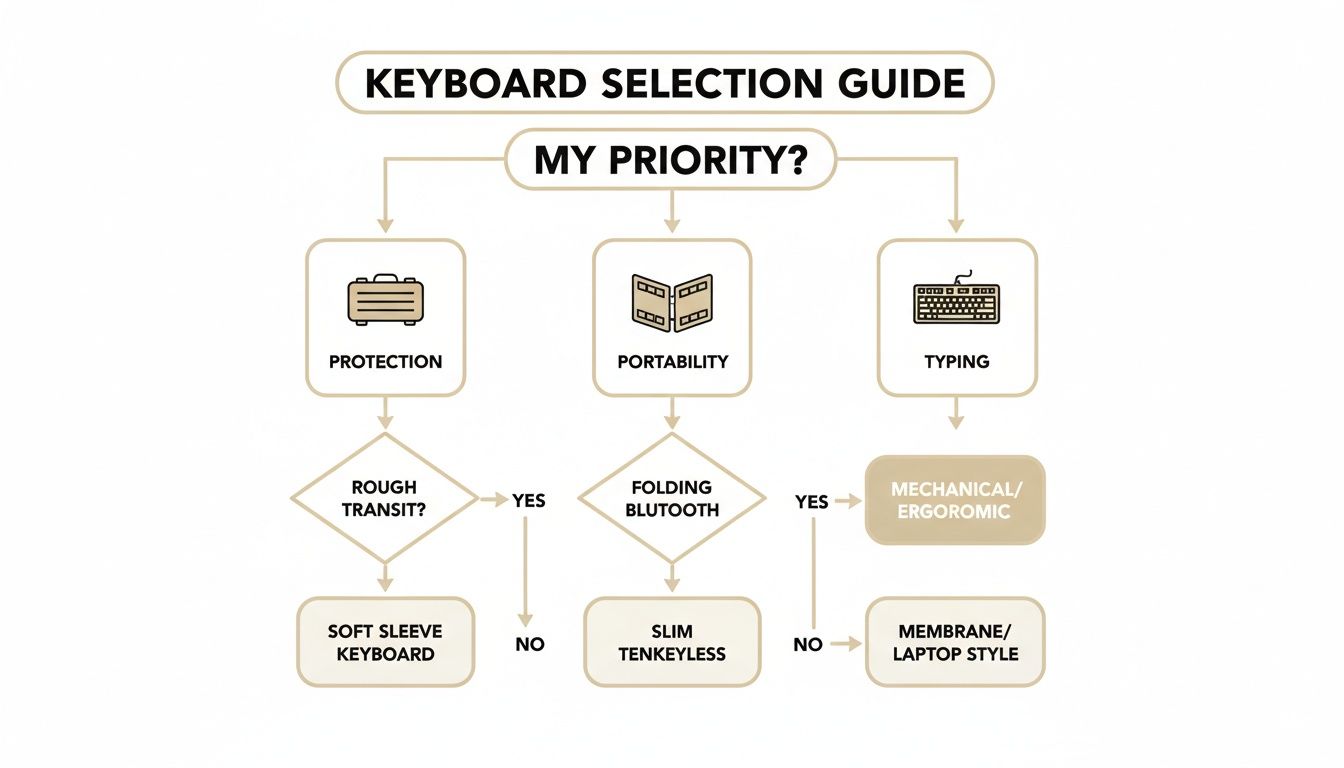
As you can see, if total protection is what you're after, a folio case is the clear winner. But if you value being able to pack light above all else, a foldable keyboard is probably your best bet.
To make the choice even clearer, I've put together a simple table comparing these styles head-to-head.
Comparing Portable Wireless Keyboard Styles
| Form Factor | Best For | Portability | Typing Experience | Device Protection |
|---|---|---|---|---|
| Folio Case | All-in-one convenience and protection | Good | Fair to Good | Excellent |
| Foldable Keyboard | Maximum portability and minimalism | Excellent | Good to Very Good | None |
| Standalone Compact | The best typing feel on the go | Good | Excellent | None |
Each style has its moment to shine. A folio case is the practical daily driver, the foldable keyboard is the minimalist’s dream, and the standalone compact is for the person who refuses to compromise on their typing experience, no matter where they are.
Understanding Your Wireless Connection Options
The wireless connection is the invisible lifeline between your foldable phone and a portable keyboard. Get it right, and the experience is seamless. Get it wrong, and you're in for a world of lag and frustration. Let's break down the tech to make sure you pick a keyboard that stays reliably connected, whether you're at a coffee shop or your kitchen table.
Think of it like a wireless conversation between your gear. Some chats are crystal clear, while others are full of static and dropouts. The goal is a perfect connection every time.
The Power of Modern Bluetooth
Most keyboards you'll find today rely on Bluetooth, and for good reason. It's a universal standard baked into every modern phone, so you don't need any extra dongles or parts to make it work.
But not all Bluetooth is created equal. Newer versions, like Bluetooth 5.0 and up, are a massive leap forward. They maintain a stronger, more stable "conversation" over greater distances, all while sipping less power from your keyboard's battery. This means longer life between charges and far fewer annoying disconnects while you're in the middle of typing an important email.
A killer feature to look for is multi-device pairing. This lets your keyboard remember connections to multiple gadgets—like your Pixel Fold, a tablet, and a laptop. You can then swap between them with a quick button press, which is a massive time-saver for anyone who juggles different devices.
To really get the most out of this setup, knowing how to pair things correctly is the first step. You can find some excellent guides on connecting your devices that make the process simple.
When a USB Dongle Makes Sense
While Bluetooth is king, some keyboards also include a tiny 2.4 GHz USB dongle. Plugging this in creates a private, dedicated wireless channel that bypasses Bluetooth entirely.
So, why bother? It often comes down to pure speed and reliability. This type of connection can have virtually zero noticeable lag, which is a huge plus for fast typists or anyone doing creative work where responsiveness is critical. The only catch is you'll need a USB-C adapter to plug that dongle into your foldable phone, adding one more small item to your tech bag.
The market for these accessories is booming thanks to these connection improvements. By 2033, the portable keyboard market is projected to hit USD 1.57 billion, largely driven by innovations like Bluetooth Low Energy (BLE) that enable rock-solid connections. If you ever do hit a snag, our guide on troubleshooting Bluetooth connection problems can help you sort it out.
Finding the Perfect Typing Feel and Layout
A keyboard portable wireless accessory is more than just a spec sheet; its real worth is felt right at your fingertips. The way the keys respond to your touch is what separates a decent gadget from something that actually makes typing a joy. This choice is super personal and affects everything from how fast you can type to whether your wrists ache after a long session.
Think of it like choosing a car. You could go for a silent, smooth electric vehicle or a classic muscle car with a rumbling engine. Both will get you from A to B, but the experience of driving them is worlds apart. Keyboards are no different.
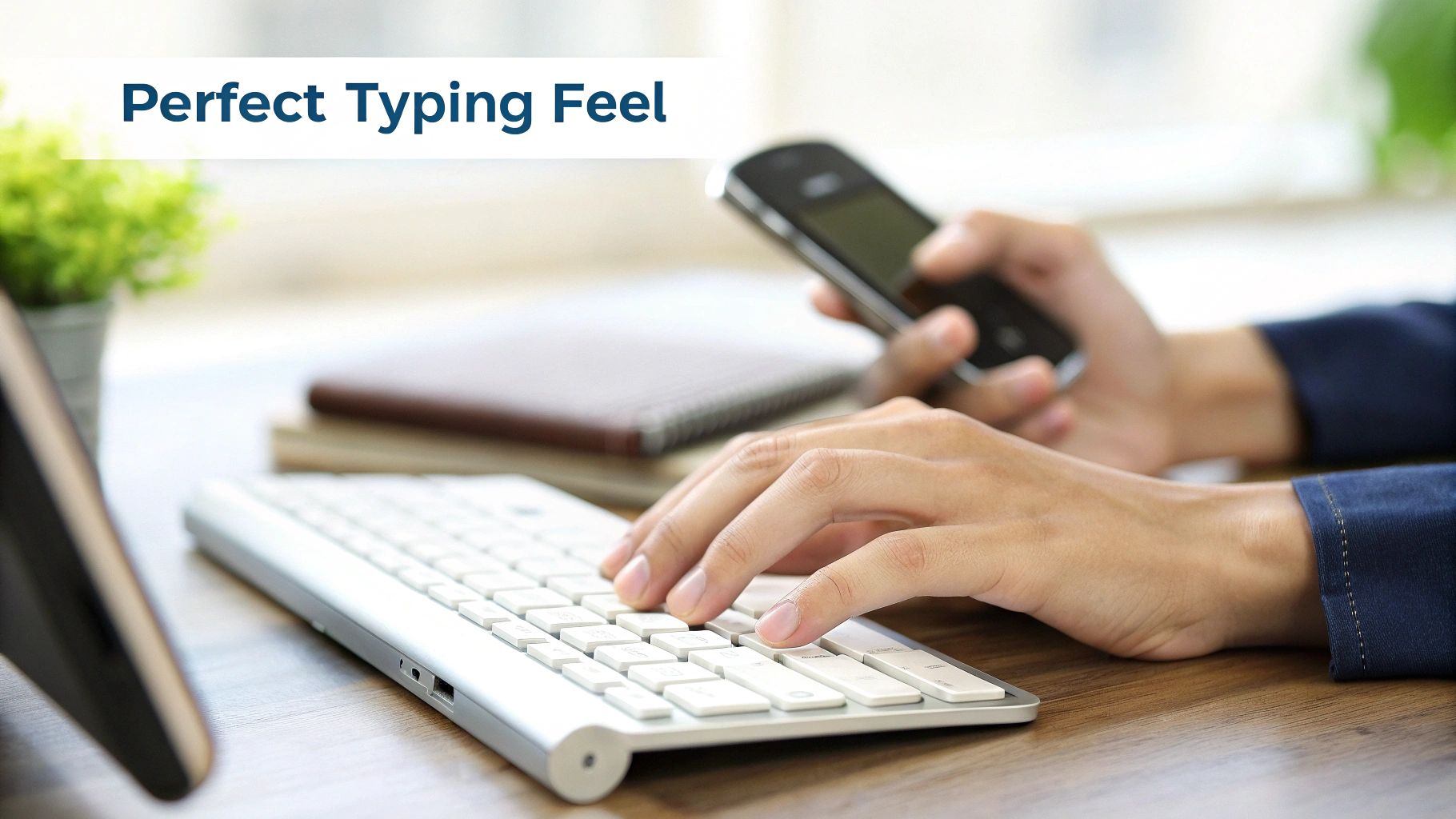
Comparing Key Switch Technologies
That "feel" really comes down to the key switch mechanism hidden under each keycap. This tiny part is what registers your press. In the world of portable keyboards, you'll mainly run into two types: membrane and mechanical.
- Membrane Keys: These are the quiet workhorses you find in most slim, affordable keyboards. They use a soft rubber dome that gives a gentle, mushy feel. They're perfect for quiet places like a library or a shared office where you don't want to be that person clacking away.
- Mechanical Switches: A favorite among hardcore typists and gamers, these use actual springs and stems. This setup gives you that satisfying "click" or a tactile "bump" with every press, offering crisp feedback that can seriously boost your speed and accuracy.
Picking the right switch is all about matching the keyboard's personality to your own. Are you looking for a silent, subtle experience, or do you thrive on that sharp, audible feedback confirming every single keystroke?
Why Layout and Ergonomics Matter
Beyond how individual keys feel, the overall layout is a huge deal. Most of us learned to type on a standard QWERTY layout, and sticking with it is smart. It lets your muscle memory do its thing, so you're not hunting for the question mark key when you're trying to fire off a quick email.
Ergonomics have also become a massive factor. It's not just fluff; market data reveals that 55% of users report typing fatigue, and a good foldable Bluetooth keyboard can make a real difference.
For people who type for a living, 61-key and 88-key variants are preferred by 70% of users. They hit that sweet spot between being small enough to carry around and functional enough for serious work. You can discover more insights about portable keyboard trends on datainsightsmarket.com.
Ultimately, the best keyboard portable wireless is one you forget is even there. It should feel so natural and comfortable that the hardware just melts away, letting you focus on your words, not your tools.
Balancing Battery Life with True Portability
Any great keyboard portable wireless companion for your foldable phone has to nail two things that often fight each other: power and portability. The dream is a keyboard that keeps up with your busiest days without feeling like you're lugging a brick around in your bag. It's a tricky balancing act.
When we talk about power, it usually comes down to disposable versus built-in rechargeable batteries. The old-school disposable AA or AAA batteries can last for ages—sometimes months—but they create long-term costs and environmental waste. Today, rechargeable keyboards are thankfully the standard, bringing convenience without the constant battery runs.
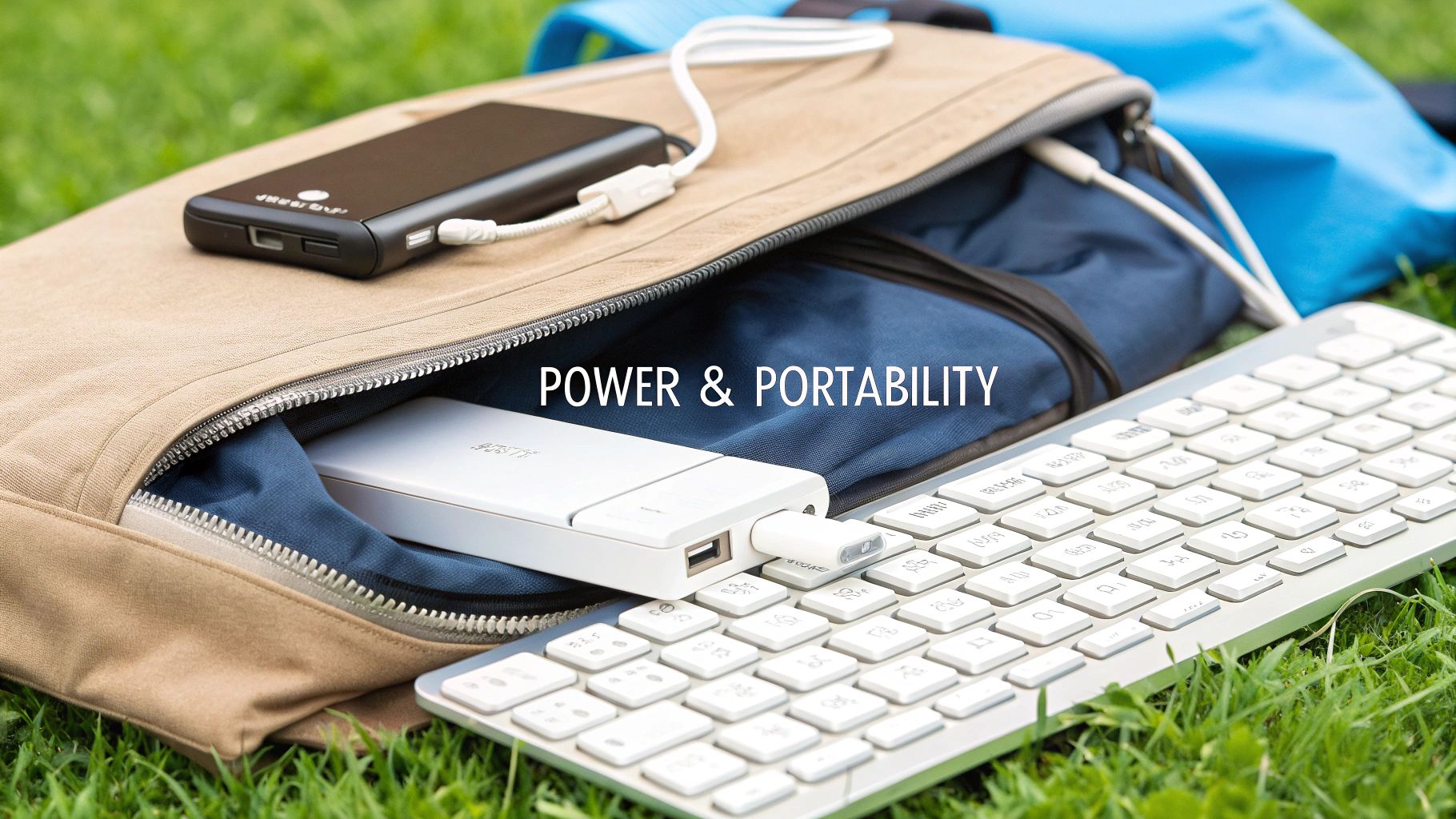
Modern Charging and Design
The best rechargeable models have a USB-C port. This is a huge win. It means you can use the same cable to charge your foldable phone and your keyboard, cutting down your travel kit to a single cord. It's a small detail that makes a world of difference.
Beyond charging, true portability is all about the physical design. You have to think about the durability of its folding hinge, the strength of its magnets, and its overall weight. The perfect keyboard feels solid enough to survive daily use but so light you forget it's even in your bag.
The market is clearly shifting toward these efficient, compact designs. While disposable batteries can last for months, rechargeable models now make up 65% of sales. Foldable keyboards, specifically, have jumped in popularity by 50% because they shrink down for travel without sacrificing typing comfort. You can see more on emerging keyboard trends at dykeyboard.com.
Ultimately, managing your power is everything. For more tips on getting the most from your tech, check out our guide on how to extend phone battery life. A smart approach ensures your entire mobile setup is always good to go when you are.
Setup Guides and Productivity Pro Tips
Getting your new keyboard portable wireless paired up should be the easy part, not a headache. The good news is that for most Android devices, including your foldable phone, it’s a quick process that gets you typing in seconds.
First, power on your keyboard and kick it into pairing mode. You'll usually do this by holding down a dedicated Bluetooth button until a little light starts flashing at you. Then, just pop open your phone’s Bluetooth settings, find your keyboard in the list of available devices, and give it a tap to connect.
That's really all there is to it. If you ever hit a weird snag like annoying input lag or random connection drops, the first thing to try is telling your phone to "forget" the device in its settings. Then just repeat the pairing process. This simple reset clears up the vast majority of common glitches.
Supercharge Your Workflow with Shortcuts
Once you're connected, you unlock a whole new level of speed. Android is packed with keyboard shortcuts that can turn a bunch of tedious screen taps into a single, instant action. Just mastering a handful of these will make a huge difference in how productive you feel.
Think of shortcuts as a secret language between you and your phone. Learning just a few basic commands lets you fly through apps, manage notifications, and edit text with the kind of speed you'd expect from a desktop setup.
Here are a few of the essentials that you'll end up using all the time:
- Alt + Tab: The absolute classic for switching between your open apps in a flash.
- Search/Launcher key + L: Instantly locks your phone screen.
- Ctrl + C / Ctrl + V / Ctrl + X: The holy trinity of text editing—copy, paste, and cut.
Create an Ergonomic Mobile Office
True productivity isn't just about how fast you can type; it's also about being comfortable. A separate, external keyboard lets you create a surprisingly ergonomic setup, even when you're stuck in a tight space like a train seat or a tiny cafe table.
The trick is to get your foldable phone propped up at eye level. Use a little stand, or just lean it against your coffee cup—anything to keep you from hunching over and straining your neck. Then, place your keyboard portable wireless at a natural distance for your wrists. Suddenly, your on-the-go workstation feels less like a compromise and more like a proper office.
Frequently Asked Questions
Jumping into the world of accessories for your foldable phone can definitely bring up a few questions. Getting the right answers makes choosing your first portable keyboard a whole lot easier. Let's tackle some of the most common ones to clear things up.
We'll cover everything from whether your old Bluetooth keyboard will work to the best way to keep your new gear in top shape.
Will Any Bluetooth Keyboard Work with My Galaxy Fold or Pixel Fold?
Yes, you're in luck! Pretty much any modern Bluetooth keyboard will pair up perfectly with foldable phones like the Galaxy Z Fold and Google Pixel Fold. These phones run on Android, which has fantastic, built-in support for Bluetooth accessories. You don't need to track down a special "foldable phone" keyboard.
For the most stable connection and best battery life, look for a keyboard that supports Bluetooth 4.0 or higher. While almost anything will work, many keyboards designed for mobile use have handy Android function keys (home, back, app switching) that really speed up your workflow.
What Is the Main Difference Between a Keyboard Case and a Standalone Keyboard?
The big difference here comes down to integration versus freedom. A keyboard case is your all-in-one solution. It wraps your phone in a protective case with a keyboard built right in, giving you a laptop-like setup that’s always ready to go. Think of it as a single, unified package.
A standalone keyboard portable wireless unit is its own separate device. This gives you the flexibility to choose any style of keyboard you want—maybe you love the feel of mechanical keys—and place it wherever feels most comfortable. The trade-off is that you have two things to carry and set up instead of one.
Your choice really boils down to what you value more. Do you want the grab-and-go convenience of an integrated case, or the ergonomic freedom and better typing experience that a separate keyboard can offer?
How Should I Clean and Maintain My Portable Keyboard?
A little bit of care goes a long way in keeping your keyboard working for years. It’s pretty simple. Start by grabbing a can of compressed air to blow out any dust or crumbs from between the keys. This is the best way to stop buildup that can make keys sticky over time.
Next, wipe everything down with a microfiber cloth slightly dampened with an electronics-safe cleaner. If you travel with it, pop it in a small sleeve or case to protect it from scratches. For battery health, try not to let a rechargeable battery drain to zero too often. And if it uses disposable batteries, take them out before storing the keyboard for a long time to prevent any messy leaks.
Ready to unlock your foldable phone's full potential? Explore the premium collection of cases and accessories at FoldifyCase and find the perfect tools to protect and enhance your device. Visit https://www.foldifycase.com to get started.
Shop FoldifyCase foldable phone cases
Precision cases for Galaxy Z Fold & Z Flip — full MagSafe, S-Pen ready, zero bulk.